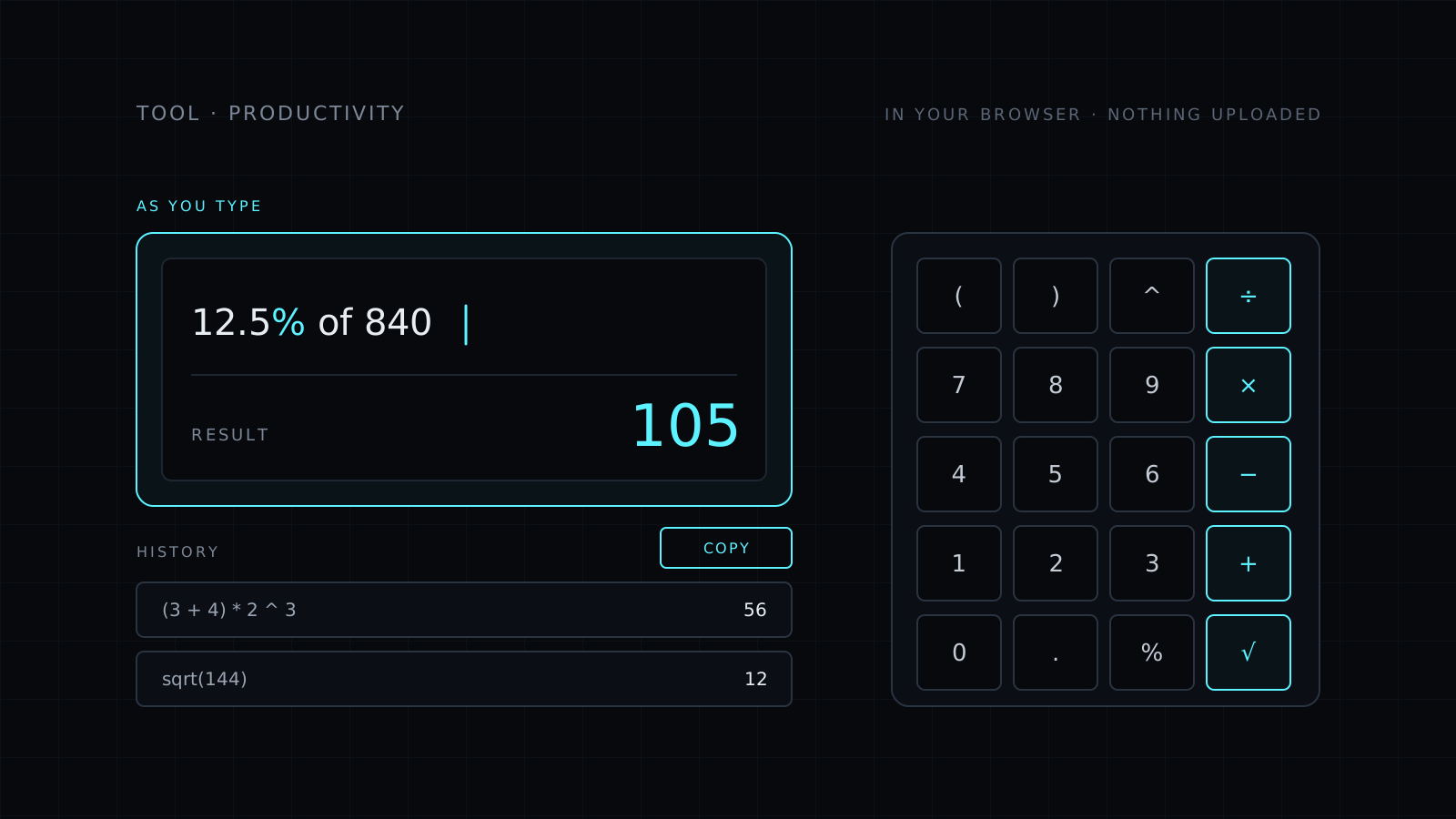
Calculator is an online calculator that runs right in your browser. You type a whole expression, like 12.5% of 840 or (3 + 4) * 2 ^ 3, and the result shows as you type. It handles percent, powers, square roots and pi, keeps a history of the session’s results, and copies the answer in one click. Nothing is sent anywhere, and it spends no credits.
Why type the whole expression?
A classic calculator takes one number and one key at a time, so you can’t see what you entered and one wrong press means starting over. Here the whole calculation stays on screen. You read it back, fix a single number, and the result updates at once. Parentheses work the way you wrote them on paper, so (3 + 4) * 2 is not the same as 3 + 4 * 2.
How do I calculate a percentage?
Write it the way you would say it. 12.5% of 840 gives you 12.5 percent of 840. The % sign also works inside a longer expression, so a discount, a tip or a tax rate takes one line instead of a few steps on scrap paper.
What can it calculate?
- The basics: + - × ÷ and parentheses.
- Powers with ^, like 2 ^ 10.
- Square roots with sqrt, like sqrt(144).
- Pi, for circles and anything round.
- Percent, on its own or as “x% of y”.
It is keyboard first: type as fast as you think, and use the buttons when you’re on a touch screen. Each result goes into the session’s history, where one click brings it back into a new calculation.
Need to capture what’s on screen instead? The Screenshot tool also runs in your browser.
Who it’s for
- Shoppers and freelancers working out discounts, tips, rates and taxes.
- Students checking homework with powers, roots and pi.
- Anyone at a desk who would rather type a calculation than tap it.
- People who want a calculator that sends nothing anywhere.
FAQ
Is anything I type sent to a server?
No. Every calculation runs in your browser. What you type never leaves your device.
How do I write a percentage of a number?
Type it as you would say it, like 12.5% of 840. You can also use % inside a longer expression.
What does it cost?
It comes with the Nexin library: Nexin Lite or Nexin Pro opens it, and it spends no credits.