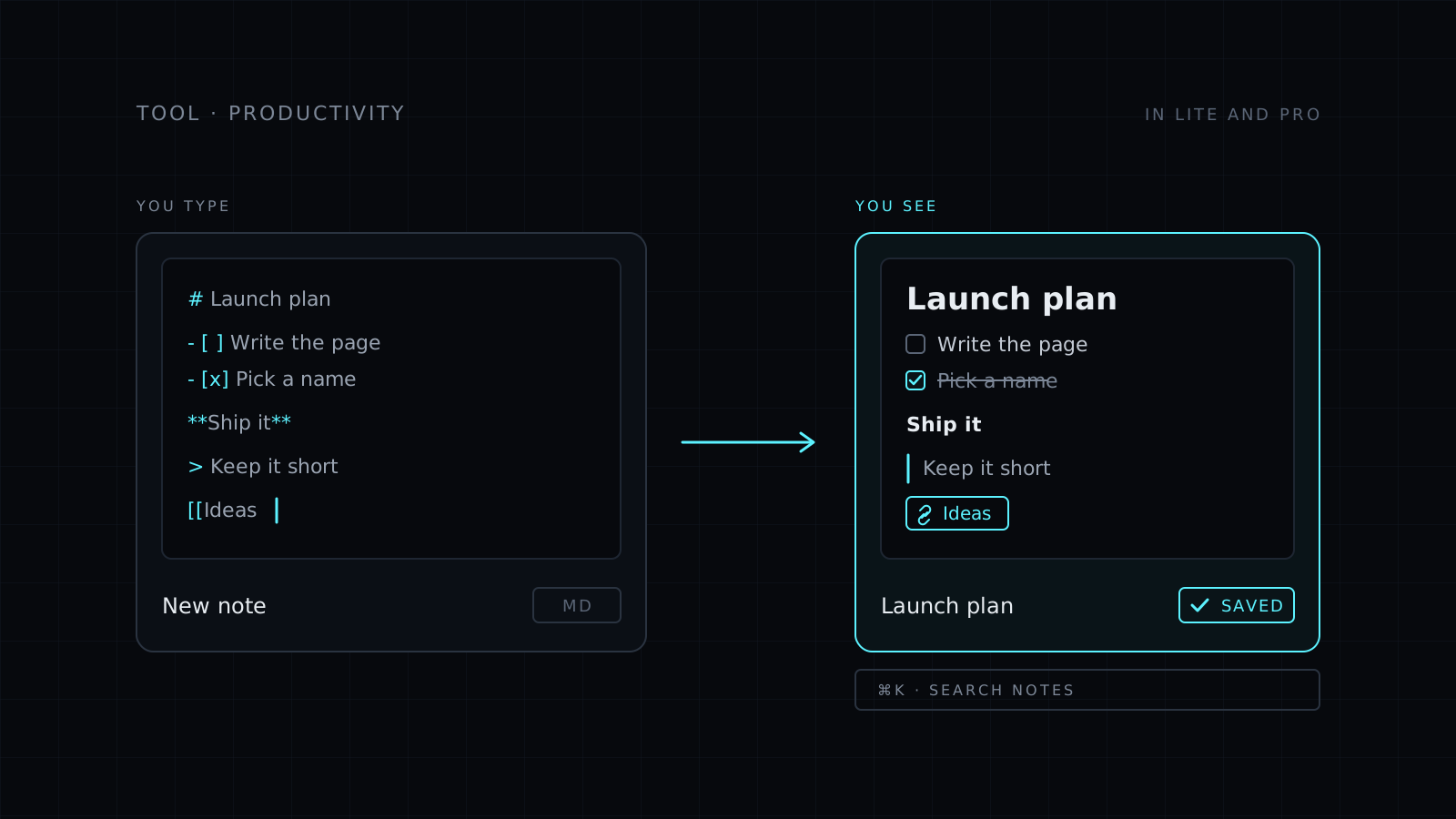
Notes is the markdown notes app inside Nexin. You write the way you would in Apple Notes or Notion, type Markdown, and it turns into formatted text as you type. Notes save on their own, link to each other with [[, and come back from the search bar in a few keystrokes. They are saved to your Nexin account, stored encrypted, so they follow you wherever you sign in.
Why write notes in Markdown?
Markdown keeps your hands on the keyboard. Instead of reaching for a toolbar, you type # for a heading, - for a list, [ ] for a checklist, bold, > for a quote and ``` for a code block. Notes shows the formatting right away, so you get the speed of plain text and a page that reads like a finished document.
How do I link notes together?
Type [[ and pick another note or a library tool. A meeting note can point to the project it belongs to, and a writing plan can point to the tool you use for it. Links turn a pile of separate notes into something you can move through. If you keep project rules for Claude, the CLAUDE.md Starter for Any Project is a good one to link from your project notes.
How do I find an old note?
Open the search bar with ⌘K on a Mac or Ctrl K on Windows and type. It looks at titles and at what’s inside each note, and shows a preview as you move through the results, so you know you have the right one before you open it.
What it feels like to use
- No save button. Everything saves on its own as you type.
- A small window or full screen. “New note” opens a small window you can close, or open full screen when you need room to think.
- One set of notes. They live in your Nexin account, and the desktop app, coming soon, uses the same notes.
Who it’s for
- People who like Markdown but want to see formatted text, not symbols.
- Anyone who already uses Nexin and wants notes next to their library.
- Writers, makers and students who link ideas across many notes.
- People who switch computers and want their notes to follow them.
FAQ
Is it free?
Notes is included in Nexin Lite and Nexin Pro. Sign in with either plan and it is ready to use.
Where are my notes stored?
In your Nexin account, stored encrypted. That’s why they follow you wherever you sign in.
Do I need to know Markdown?
No. You can just type. Markdown is there when you want a heading, a list or a checklist, and it formats as you type.