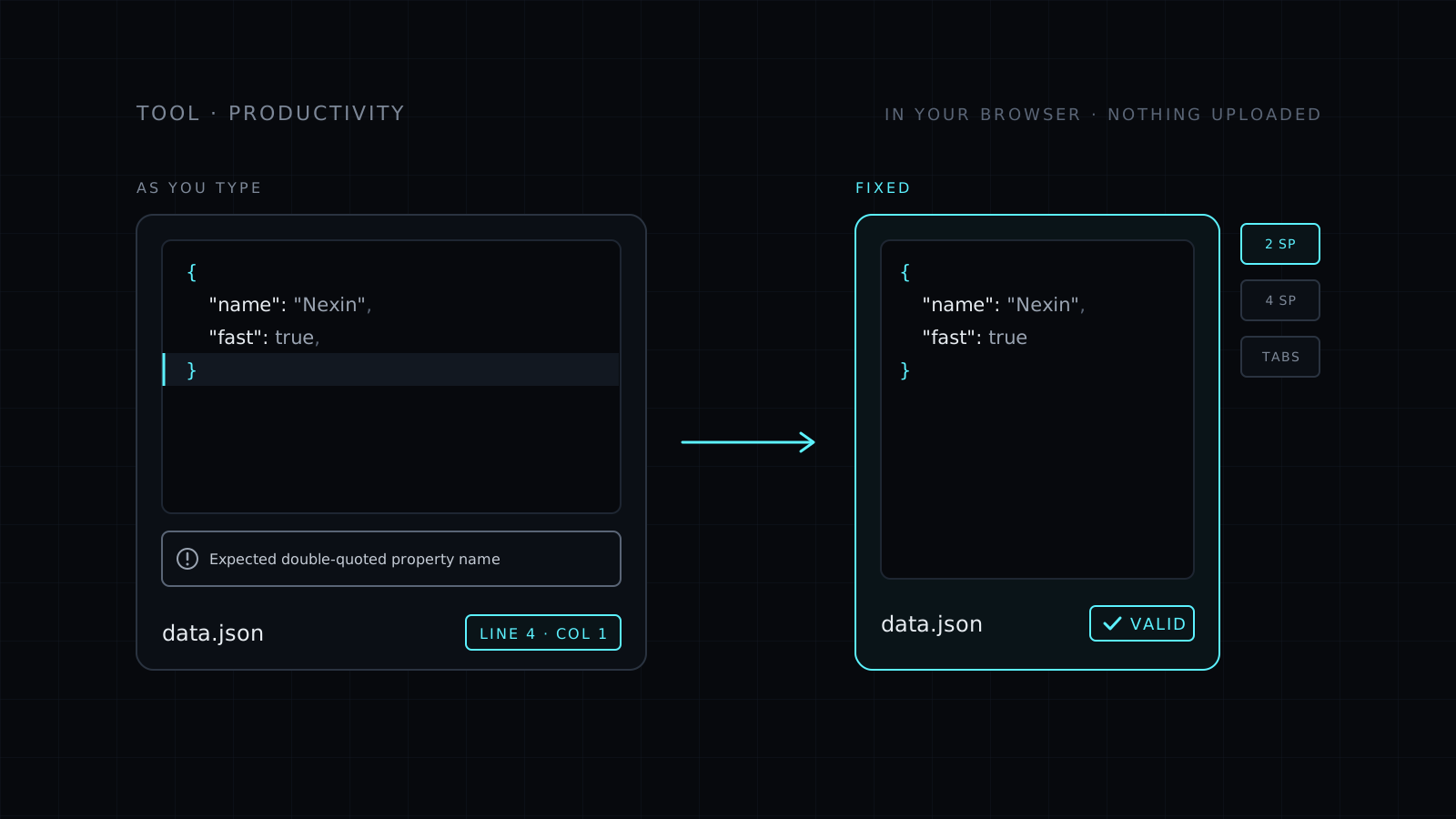
JSON Validator is a json validator that checks your JSON as you type, right in your browser. Paste it or open a .json file, and you see at once whether it is valid. When it isn’t, you get the parser’s message, the line and the column, and a button that takes you straight there. Your text never leaves your device: nothing is sent to a server, nothing is stored, and it spends no credits.
How do I check if JSON is valid?
Paste it into the box. There is no button to press: the check runs on every change, so you can fix a problem and watch the error clear. The tool checks strict JSON, the format the standard defines. That means double quotes around every key and string, no trailing commas, no comments and no single quotes. Some editors and config loaders accept those, so a file can work in one place and fail in another. This page tells you exactly which rule it breaks.
What does “Expected double-quoted property name” mean?
It is one of the most common JSON errors. The parser reached a spot where it expected a key in double quotes and found something else. Usually that is a trailing comma before a closing brace, a key without quotes, or a key in single quotes. The error names the line and column, and the jump button puts your cursor on it, so you don’t have to count lines in a long file.
Can it format the JSON too?
Yes. Once the JSON is valid you can format it with 2 spaces, 4 spaces or tabs, minify it to one line, or sort the keys so two versions line up in a diff. Then copy the result or download it as a .json file. If formatting is the main job, the JSON Formatter is built around it. Checking a config file in YAML instead? Use the YAML Validator.
Who it’s for
- Developers debugging an API response or a webhook payload that won’t parse.
- Anyone editing a package.json or a settings file by hand.
- Analysts checking an export before they import it somewhere else.
- People who don’t want to paste private data into a stranger’s server.
FAQ
Is my JSON sent to a server?
No. The check runs entirely in your browser. Your text never leaves your device and nothing is stored.
Why is my JSON invalid when my editor accepts it?
Some editors allow comments and trailing commas, which strict JSON does not. The validator flags them with the line and column so you can remove them.
What does it cost?
It comes with the Nexin library: Nexin Lite or Nexin Pro opens it, and it spends no credits.