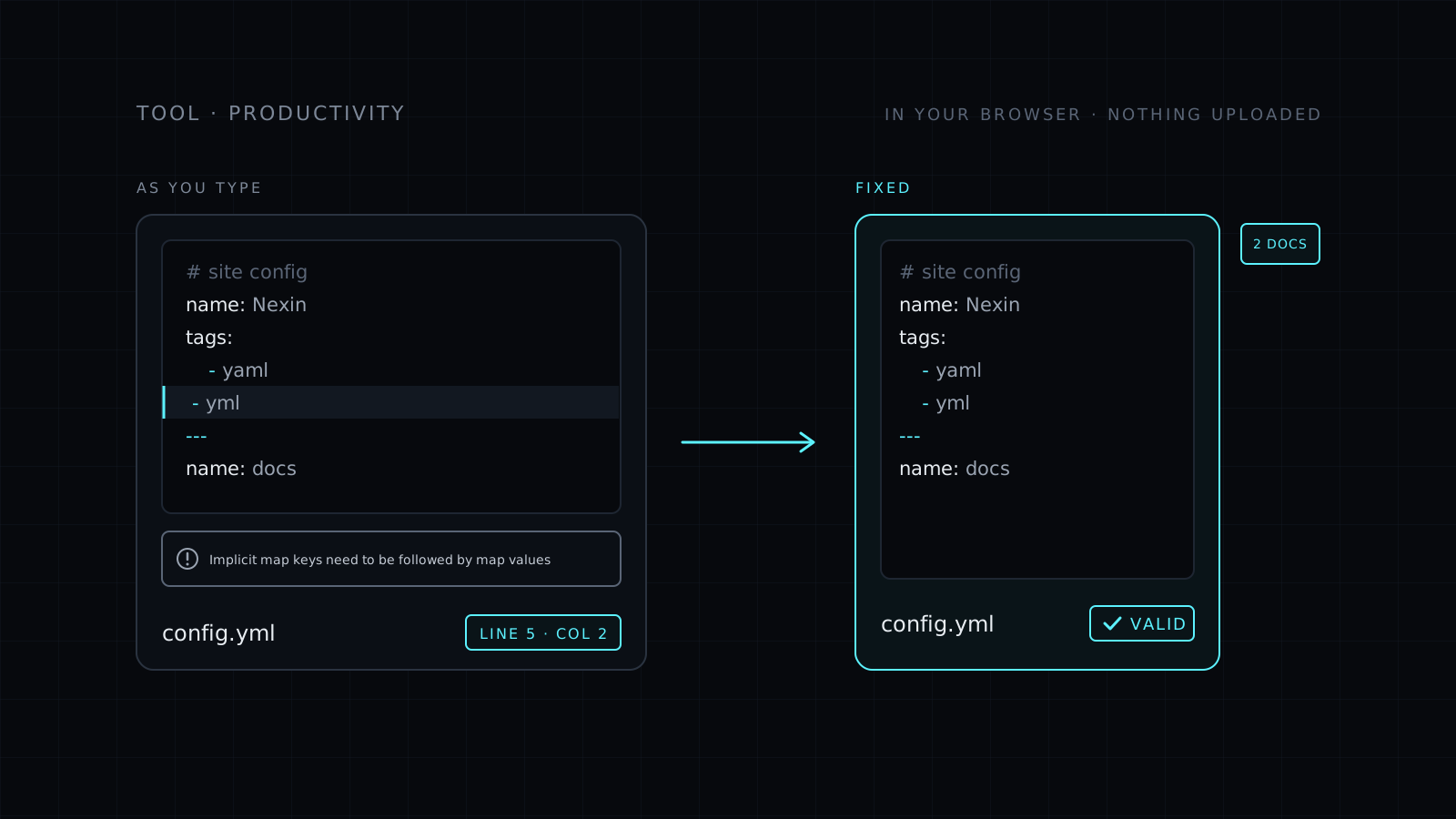
YAML Validator is a yaml validator that checks YAML and .yml files as you type, right in your browser. Paste it or open a file, and you see at once whether it parses. When it doesn’t, you get the parser’s message, the line and the column, and a button that takes you straight there. Your text never leaves your device: nothing is sent to a server, nothing is stored, and it spends no credits.
How do I validate a YAML file?
Paste it into the box or open the .yaml or .yml file. The check runs on every change, so you can fix a line and watch the error clear. YAML depends on indentation, so a single extra space, a tab where spaces belong or a missing colon can break a CI pipeline or a deployment. The error points to the exact spot instead of leaving you to read the whole file. If the file holds several documents separated by ---, they are checked together and the tool tells you how many it found.
Is this a YAML lint?
It is a YAML lint in the sense most people mean: it tells you whether the file is valid YAML and where it breaks. It checks syntax, meaning anything the parser can’t read. It does not check a schema, so it can’t tell you that a Kubernetes manifest is missing a field or that a GitHub Actions key is misspelled. It also doesn’t apply style rules like the line length or truthy checks that the yamllint command line tool offers. For a quick yaml checker before you commit, that is usually what you need.
Can I format it after checking?
Yes. Once it is valid you can format it with 2 or 4 spaces and sort the keys, and your comments stay where you wrote them. Then copy the result or download it as a .yaml file. If tidying is the main job, the YAML Formatter is built around it. Need the same data as JSON? Use YAML to JSON.
Who it’s for
- Developers editing CI pipelines, Docker Compose files and deployment manifests.
- Anyone who opened a .yml file and can’t tell why it fails.
- Writers checking the front matter at the top of Markdown files.
- People who don’t want to paste private config into a stranger’s server.
FAQ
Is my YAML sent to a server?
No. The check runs entirely in your browser. Your text never leaves your device and nothing is stored.
Does it check .yml files?
Yes. YAML and YML are the same format, so .yml files are checked exactly like .yaml files.
Will it catch a wrong key in my config?
Only if it breaks the syntax. It checks that the YAML parses, not that the keys match what a tool expects.