This free guide shows how to use Claude Code for marketing: the jobs where a tool that reads, edits and runs things in a folder beats a chat window, with prompts you can copy for each. It is written for marketers, founders and small teams who own their content, their site and their numbers, and want those files turned into finished work faster.
What the guide covers
It starts with the setup that makes everything else work: one marketing folder with your sources, your data exports, an output folder and a CLAUDE.md file that holds your voice, your audience and the claims you can actually make. Then it goes job by job.
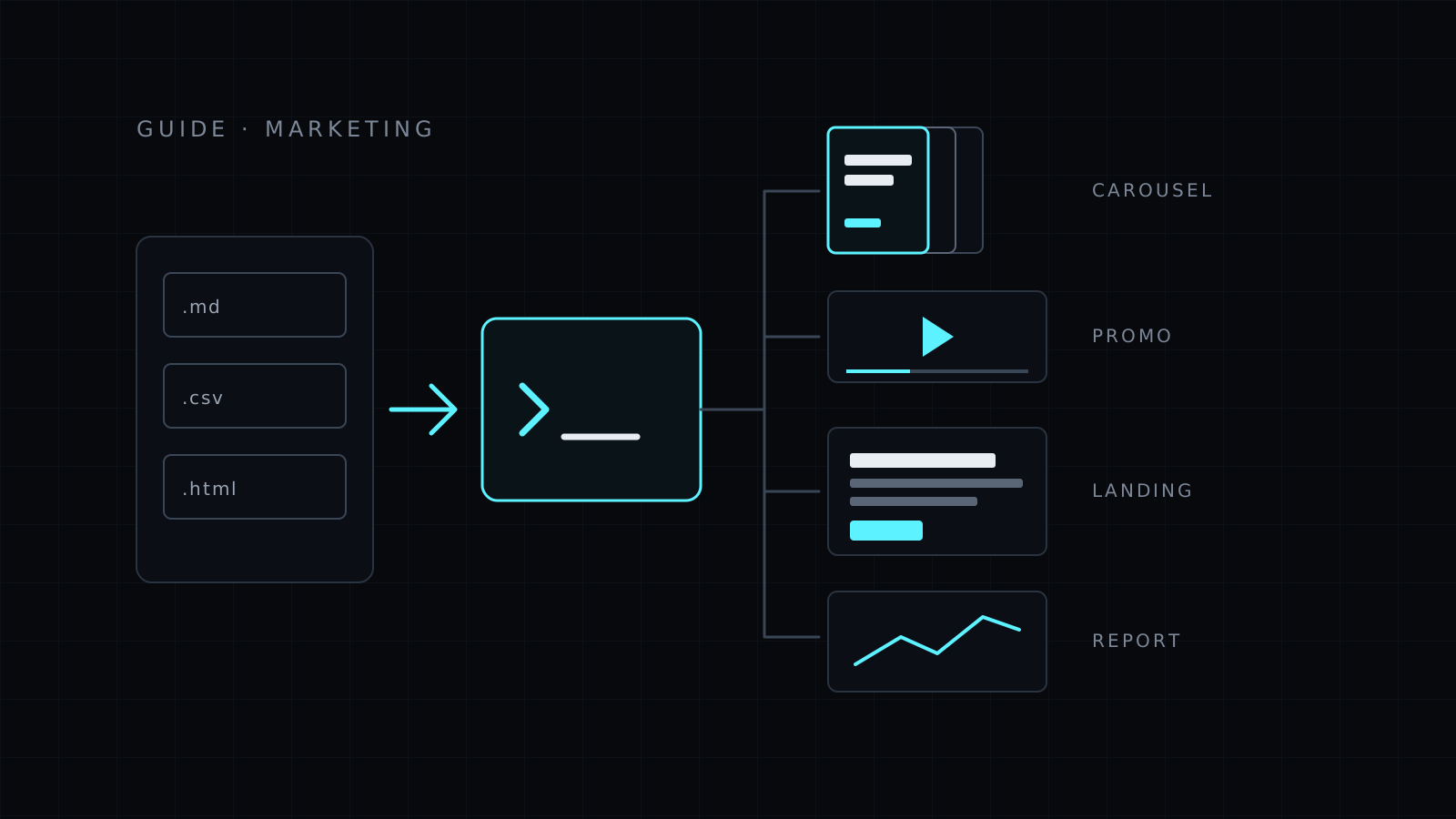
You’ll see how to repurpose a transcript or a blog archive into posts and emails without losing the source, how to edit landing page copy directly in your site’s repository and check it before saving, and how to run an SEO audit as a script you can repeat every month. It covers rendering social carousels and short promo videos on your own machine with a kit, and working through ad, email and analytics CSV exports with the method shown, so the numbers can be checked.
The last section is about limits: what Claude Code can’t see, where it can invent, why voice drifts in long sessions, and the review steps to keep before anything is published.
Who it’s for
- Founders who do their own marketing and already keep work in files.
- Content marketers repurposing long pieces into many formats.
- Growth and SEO people who want audits they can rerun.
- Small teams who want one shared set of brand rules for AI work.
New to the tool? Read How to Install Claude Code first, then What Can Claude Code Do? for use cases outside marketing.
FAQ
Do I need coding skills to use Claude Code for marketing?
No. You need to open a terminal in a folder and describe the work. Claude writes and runs any scripts, and you review what they produce.
Can it post to social media or run my ads?
Not on its own. It works with files and commands on your computer. You publish the results.
Is this guide free?
Yes. Guides on Nexin are free and public, for anyone.
Claude Code is usually sold to developers, but much of marketing work is files: drafts, exports, landing pages, spreadsheets, brand assets. Claude Code reads and edits files and runs commands, so it can take a whole folder of material and turn it into finished work, instead of answering one paste at a time like a chat window.
This guide shows the jobs where that pays off, the prompts to start with, and where you still need to review.
Set up a marketing folder
Claude Code only sees the folder you open it in, so give it one with everything it needs:
marketing/
├── CLAUDE.md          # brand voice, audience, words to avoid, product facts
├── sources/           # blog posts, transcripts, notes, past launches
├── data/              # CSV exports from ads, email, analytics
└── out/               # where finished work goes
The CLAUDE.md file matters most. Claude Code reads it at the start of each session, so write your standing rules there once: who you sell to, the voice, the claims you can and can’t make, the product’s real numbers. Then every prompt below gets those rules for free.
cd ~/marketing
claude
1. Repurpose content from files
One long piece, many formats. Because Claude reads the source file itself, nothing gets lost in a copy-paste.
Read sources/webinar-transcript.md. Write out/repurpose.md with:
a 900-word blog post, 5 X posts, one LinkedIn post and a 3-email sequence.
Use only claims made in the transcript, and mark each with the timestamp it came from.
Go through every post in sources/blog/ and list the 10 best lines for social
posts, with the file each came from. Don't rewrite them yet.
The second prompt is worth copying as a habit: ask Claude to find and list before it writes. You pick, then it drafts.
2. Edit landing page copy in the repo
If your site is a repository (a static site, Next.js, Rails, anything with files), Claude Code can edit the real page instead of handing you text to paste.
Open the homepage template and rewrite the hero and the three feature blocks
for founders who sell digital products. Keep the HTML structure and class names.
Show me the diff before saving.
Find every place the price appears on the site and list the files and lines.
Don't change anything.
Run the site locally afterwards and look at the page. Copy that reads well in a diff can still break a layout.
3. SEO audits with scripts
For an audit, ask for a script rather than a judgment. The script checks every page the same way, and you can run it again next month.
Write a script that reads every page in content/ and reports, per page:
title length, meta description length, H1 count, word count and internal links.
Save the result as out/seo-audit.csv and list the 10 worst pages in the chat.
Compare out/seo-audit.csv with data/search-console.csv (pages and clicks).
Which pages get impressions but have a weak title or no internal links?
Claude can also suggest titles and descriptions for the weak pages, but keyword volumes and rankings have to come from your data or a tool; it can’t know them.
Writing slides is the easy part. Getting them rendered, on brand and at the right size, is where time goes. A kit solves that: a repository built for rendering, which you open in Claude Code and talk to. Nexin’s Carousel Kit outputs social carousels as PNG files, and the Video Kit outputs short promo videos as MP4, both on your own machine.
Make a 6-slide carousel from out/repurpose.md's best idea: hook slide, four
points, call to action. Use the colors and logo from brand/. Render at 1080x1350.
Make a 15-second vertical promo for the launch: the problem in one line, three
features shown as text over the screenshots in assets/, then the offer.
Look at every slide and frame before posting. Check spelling in the rendered image, not only in the script, and make sure no text sits under a platform’s buttons.
5. CSV and report work
Ad, email and analytics exports are where Claude Code saves the most hours.
data/meta-ads-october.csv is an ad-level export. Group by campaign and show spend,
purchases and cost per purchase. Flag ads that spent more than $50 with no purchase.
Write the numbers to out/october.md and explain how you calculated each one.
Merge data/email-*.csv into one table, one row per campaign, and chart open and
click rates by month as out/email-trend.png.
Ask for the method, not just the answer. “Explain how you calculated each one” lets you catch a wrong column before the number reaches a meeting.
6. Make the good prompts permanent
When a prompt works, save it as a skill so Claude follows the same method each time you ask for that job, in any session. Claude Code Skills shows how to write one, and What Can Claude Code Do? has more use cases outside marketing.
Limits and review
- It only knows what’s in the folder. No access to your ad accounts, CRM or analytics unless you export the data or connect a tool for it.
- It can invent. Numbers, testimonials, results and features must come from your files. Tell it so in
CLAUDE.md, and check every claim before publishing.
- It doesn’t know what’s trending or ranking today unless you give it the data.
- Voice drifts. Long sessions slide toward generic phrasing. Keep voice rules and a few good examples in
CLAUDE.md, and start a fresh session for each piece.
- Review before anything goes out. Read the copy, open the page, look at the images, check the numbers against the source. Claude Code drafts and renders; you publish.
- Keep the folder in git. Every change is then a diff you can read and undo.
Start here
If you don’t have it yet, follow How to Install Claude Code, create the folder above, and try the repurposing prompt on one piece of content you already have.
For ready-made skills and local kits that render carousels and videos in Claude Code, see Nexin’s skills and kits.